IIS FastCGI 跑 PHP 8.4:别信 Windows php-fpm 的传说
在 Windows 上安装 PHP 8.4 NTS、IIS FastCGI 与处理器,配置安全的 php.ini,验证 phpinfo,然后删掉测试页。
- 版本号
- 26100.33650
- 版本
- Standard / Datacenter
- 架构
- x64
- 支持
- 文档(E1)
- 证据
- E1官方文档
- 核验日期
- 2026-10-29
- 测试机
- PHP 8.4.27 NTS + IIS FastCGI 在 VM 361 Windows 11 26H2 验证;Server 2025 角色/cmdlet 为 E1
- 页面类型
- 任务
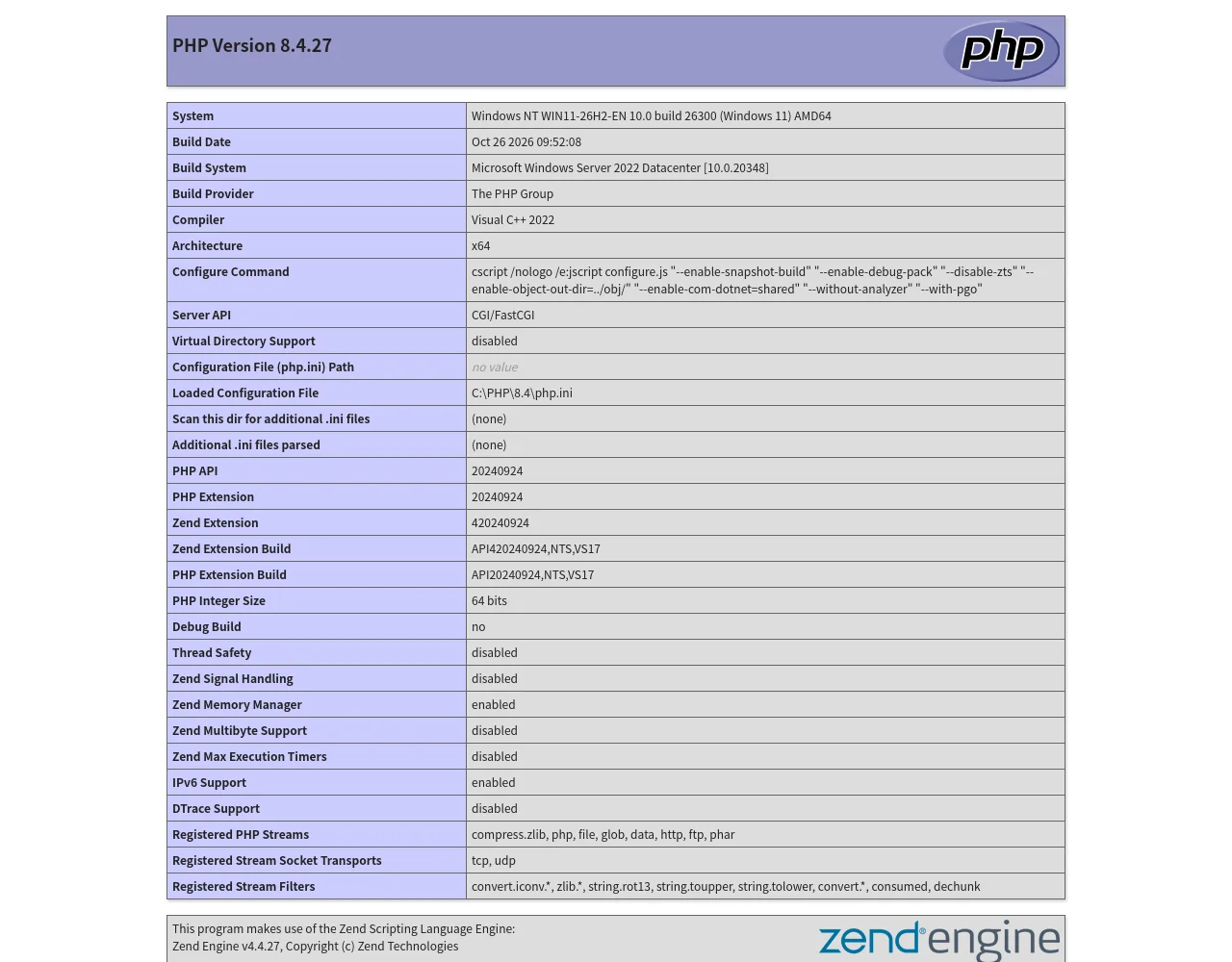
C:\PHP\8.4\php.ini。宿主是 Windows 11 26H2;Server 2025 角色步骤仍为 E1。Windows 上 PHP 官方走 FastCGI/CGI,不是 php-fpm。没有官方 Windows php-fpm 可装。
可用栈:
- IIS + CGI/FastCGI 角色服务。
- PHP NTS Windows 包 + VC++ 运行库。
php.ini:fastcgi.impersonate=1、cgi.fix_pathinfo=0。- IIS FastCGI 应用 +
*.php处理器。 - 测试页,然后删掉
phpinfo()。
安装 IIS 侧
Section titled “安装 IIS 侧”Server 2025:
Install-WindowsFeature Web-CGIWindows 客户端实验室(VM 361 实际用的):
Enable-WindowsOptionalFeature -Online -FeatureName IIS-CGI -All -NoRestart处理器没出现就 iisreset 或重启 W3SVC。
下载 PHP
Section titled “下载 PHP”FastCGI 用 NTS(Non-Thread Safe)zip。本次实验:
php-8.4.27-1-nts-Win32-vs17-x64.zip- 解压到
C:\PHP\8.4 php.exe -v返回PHP 8.4.27 (cli) (NTS Visual C++ 2022 x64)
用同目录 sha256sum.txt 核对 SHA-256。不要用随机“PHP for Windows”重打包。
PHP 需要 Visual C++ 2015–2022 x64 运行库。没有它,php.exe 会以 0xC0000135(缺 DLL)退出。装完再测 php.exe -v。
php.ini
Section titled “php.ini”复制 php.ini-development 为 php.ini,至少设:
fastcgi.impersonate=1cgi.fix_pathinfo=0date.timezone=UTCextension_dir="ext"expose_php=Off生产再加:
display_errors=Offlog_errors=Onerror_log="C:\PHP\logs\php-error.log"不要把所有扩展开满。应用需要 mysqli、pdo_mysql、curl、mbstring、openssl 时再加,用 php -m 验证。
FastCGI + 处理器
Section titled “FastCGI + 处理器”用 WebAdministration(比手写 appcmd 引号可靠):
Import-Module WebAdministrationAdd-WebConfiguration -PSPath 'MACHINE/WEBROOT/APPHOST' `  -Filter 'system.webServer/fastCgi' `  -Value @{ fullPath = 'C:\PHP\8.4\php-cgi.exe' }
Add-WebConfiguration -PSPath 'MACHINE/WEBROOT/APPHOST' `  -Filter 'system.webServer/handlers' `  -Value @{    name = 'PHP_via_FastCGI'; path = '*.php'; verb = '*';    modules = 'FastCgiModule';    scriptProcessor = 'C:\PHP\8.4\php-cgi.exe';    resourceType = 'Either'  }
然后:
& 'C:\PHP\8.4\php-cgi.exe' -vSet-Content C:\inetpub\lab\info.php '<?php phpinfo();' -Encoding ASCIIInvoke-WebRequest http://localhost:8080/info.php -UseBasicParsing | Select-Object StatusCode预期:200,phpinfo 显示 Server API: CGI/FastCGI、Loaded Configuration File: C:\PHP\8.4\php.ini。
- 应用池身份对
C:\PHP\8.4和站点根目录需要读/执行。 - 不要给 PHP 目录写权限。
- 上传目录单独授权,只在那里给 modify。
- 不要为了“让 PHP 能跑”把应用池改成 LocalSystem。
- 测完删
info.php;phpinfo 会泄露路径、模块和配置。 expose_php=Off去掉X-Powered-By版本提示。- 生产
display_errors=Off,写日志。 cgi.fix_pathinfo=0缓解经典路径解析问题,但不能代替上传校验。- 定期打 PHP 补丁;EOL 分支没有安全修复。
VM 361 验证:PHP 8.4.27 NTS、IIS FastCGI、info.php 返回 200。这是 Windows 11 FastCGI 机制的 E2,不是 Server 2025 复现。Server 2025 用 Install-WindowsFeature Web-CGI,处理器配置同族。